> ## Documentation Index
> Fetch the complete documentation index at: https://docs.learnpack.co/llms.txt
> Use this file to discover all available pages before exploring further.

# Create your first course in 5 minutes

> The evolution of LearnPack, from coding exercises to an AI-first course builder for any topic, with a built-in tutor and one-click publishing.

## 🚀 A Journey of Transformation

LearnPack's **AI Builder** is a game-changer for educators, trainers, and anyone who wants to share knowledge without technical hurdles. This **no-code** tool will generate **interactive, auto-graded courses** on any topic in minutes. Provide a topic, length, and goals, and the AI will propose a curriculum with **lessons, quizzes, and exercises**.

<Callout type="success">
  <span style={{color:"#4F46E5", fontWeight:700}}>You can also create courses from:</span><br />
  📄 <a href="/creating-courses/converting-a-pdf-into-an-interactive-course"><b>PDFs</b></a> ·
  🎥 <a href="/creating-courses/creating-interactive-tutorials-from-youTube-videos"><b>Videos</b></a> ·
  📊 <a href="/creating-courses/converting-a-presentation-into-a-course"><b>Slides</b></a>
</Callout>

This guide will walk you through the process step by step, based on the current interface, and it includes screenshots for clarity. Whether you are a teacher, a corporate trainer, or a hobbyist, LearnPack removes barriers and keeps focus on content.

<img src="https://mintcdn.com/learnpack/ixntde2m4F8GEexK/images/learnpack1.png?fit=max&auto=format&n=ixntde2m4F8GEexK&q=85&s=076dfe0f891630ab5702e3ec1d1820c3" alt="LearnPack home" width="3489" height="1163" data-path="images/learnpack1.png" />

<Callout type="info">
  <b>100% browser-based:</b> nothing to install.
</Callout>

## 🔥 Getting Started: Accessing LearnPack

Go to <a href="https://learnpack.co/" target="_blank">learnpack.co</a> in your browser. LearnPack’s browser-first design will work on laptops and tablets.

## Create your course (step-by-step)

<Steps>
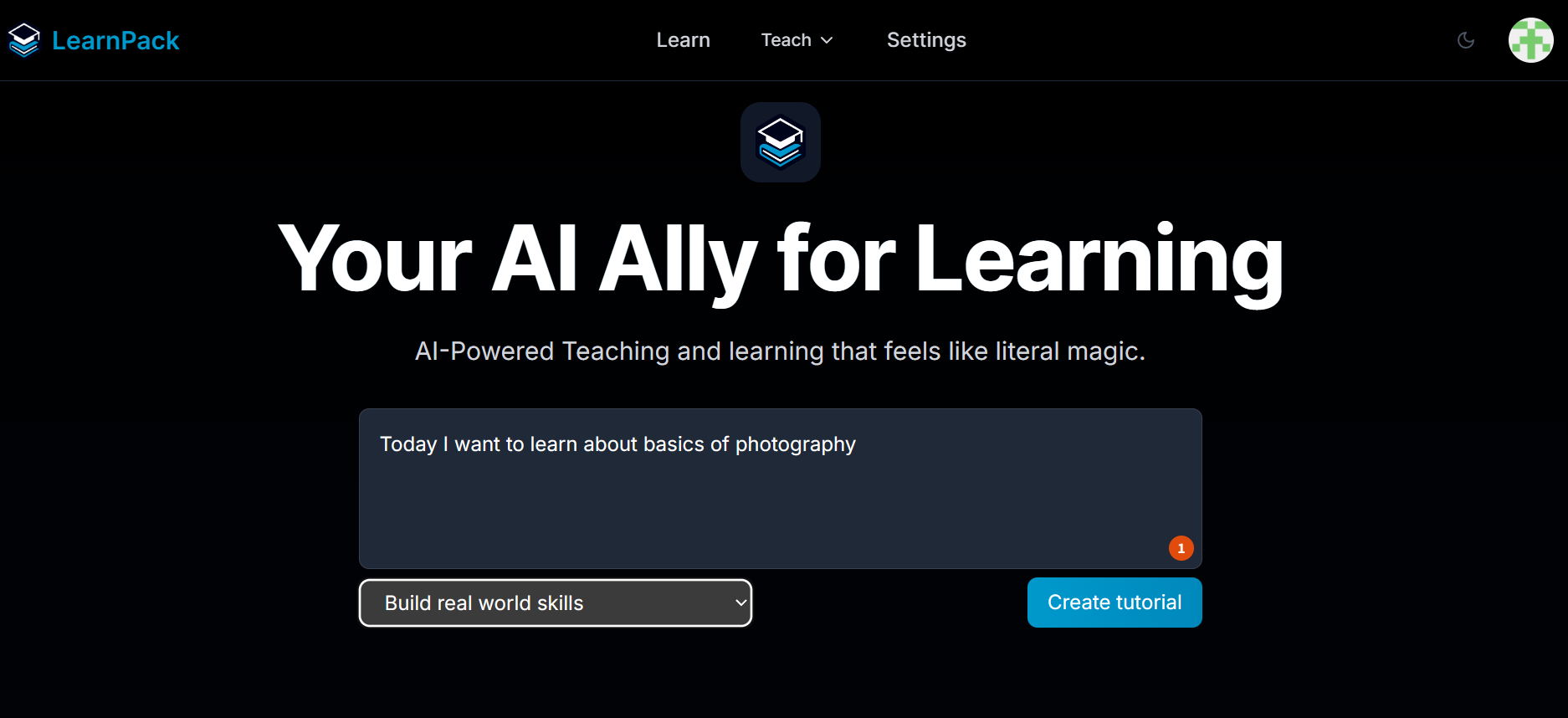
  <Step title="Choose your purpose">
    Selecting a purpose helps LearnPack adapt the syllabus to your needs and modality.\
    <span style={{color:"#4F46E5"}}><b>Tip:</b></span> if unsure, start with <b>Build real-world skills</b>. You can adjust later.

    <img src="https://mintcdn.com/learnpack/ixntde2m4F8GEexK/images/step1.png?fit=max&auto=format&n=ixntde2m4F8GEexK&q=85&s=7830f90a4bf358b81bfdbee7b0150aaf" alt="Choose a purpose" width="1874" height="858" data-path="images/step1.png" />
  </Step>

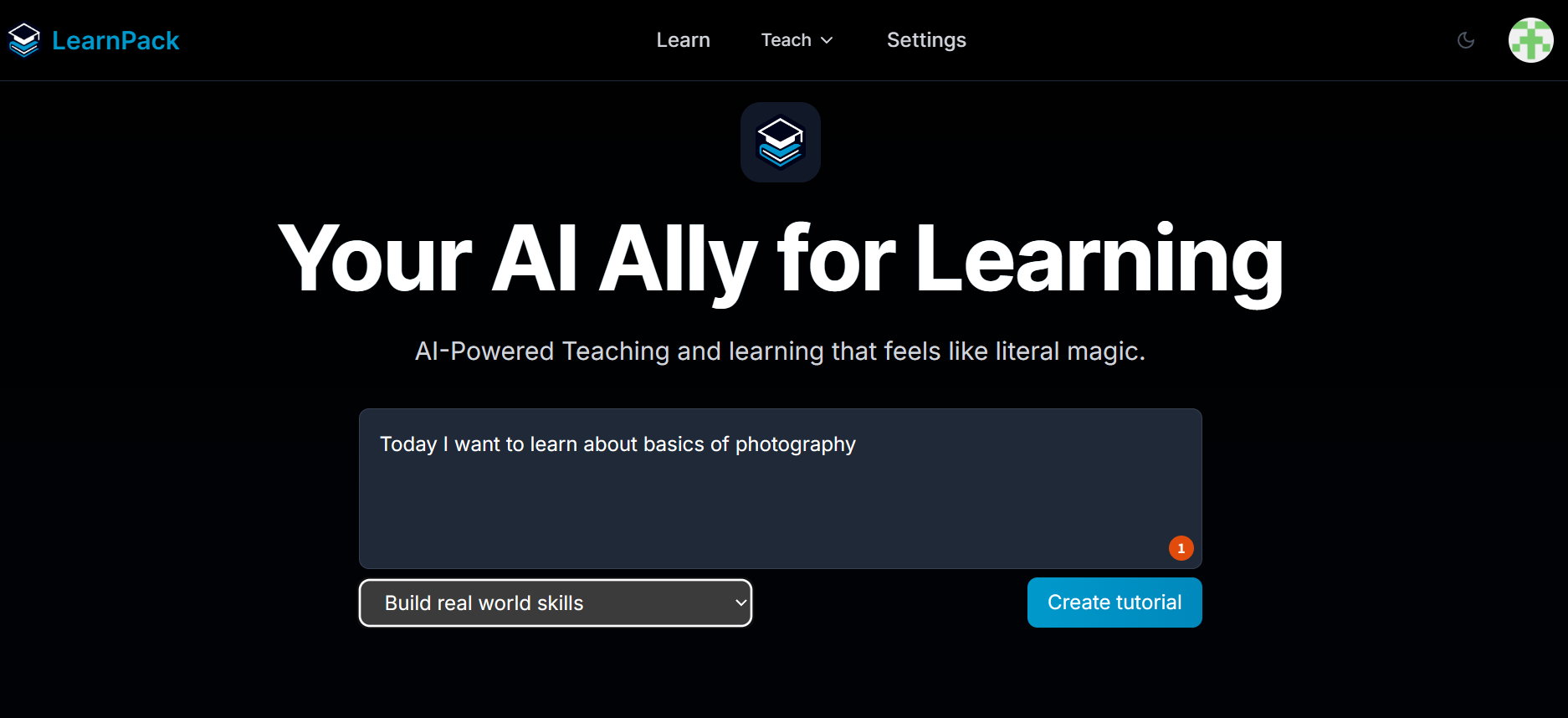
  <Step title="Tell LearnPack what you want to learn">
    Write a short sentence that describes your topic or goal.\
    <b>Examples:</b> “Basics of photography”, “Intro to statistics”, “Marketing analytics for beginners”.

    <img src="https://mintcdn.com/learnpack/ixntde2m4F8GEexK/images/step2.png?fit=max&auto=format&n=ixntde2m4F8GEexK&q=85&s=437410ab9815870ec955fb779da73fe1" alt="Topic or goal" width="1874" height="858" data-path="images/step2.png" />
  </Step>

  <Step title="Create course">
    Click <b>Create tutorial</b> to start the setup flow.\
    <b>What happens next:</b> LearnPack will ask a few questions to calibrate scope and depth.
  </Step>

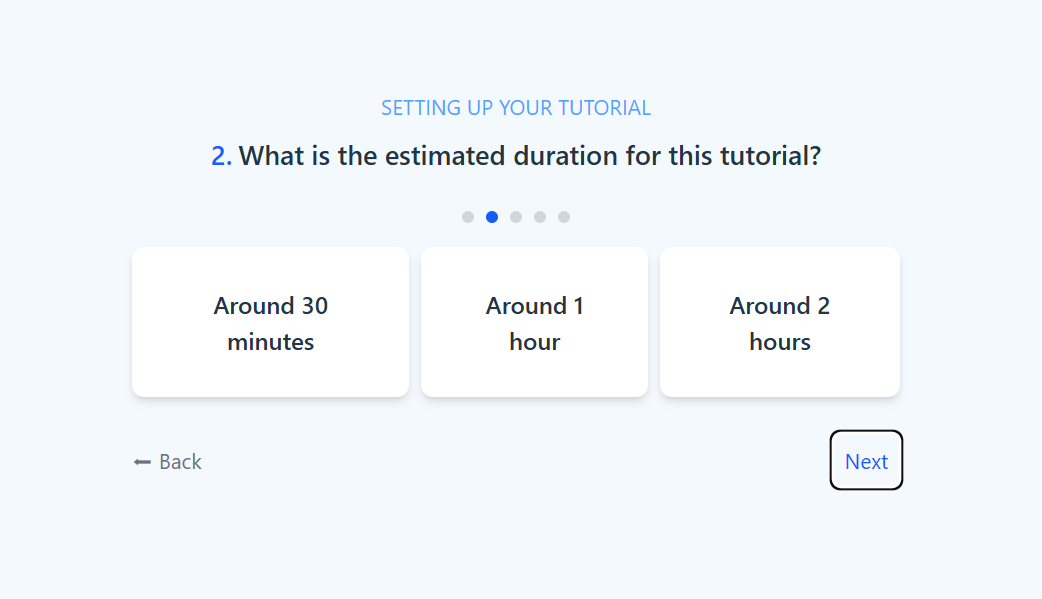
  <Step title="Estimate the duration">
    Pick how long you want the tutorial to be.\
    <b>Guidance:</b> choose <b>Around 1 hour</b> for a compact session, <b>Around 2 hours</b> for a mini-workshop. You can expand later.

    <img src="https://mintcdn.com/learnpack/ixntde2m4F8GEexK/images/step4.png?fit=max&auto=format&n=ixntde2m4F8GEexK&q=85&s=c1903190c5bbdd41bc3262c43458d536" alt="Duration picker" width="1042" height="599" data-path="images/step4.png" />
  </Step>

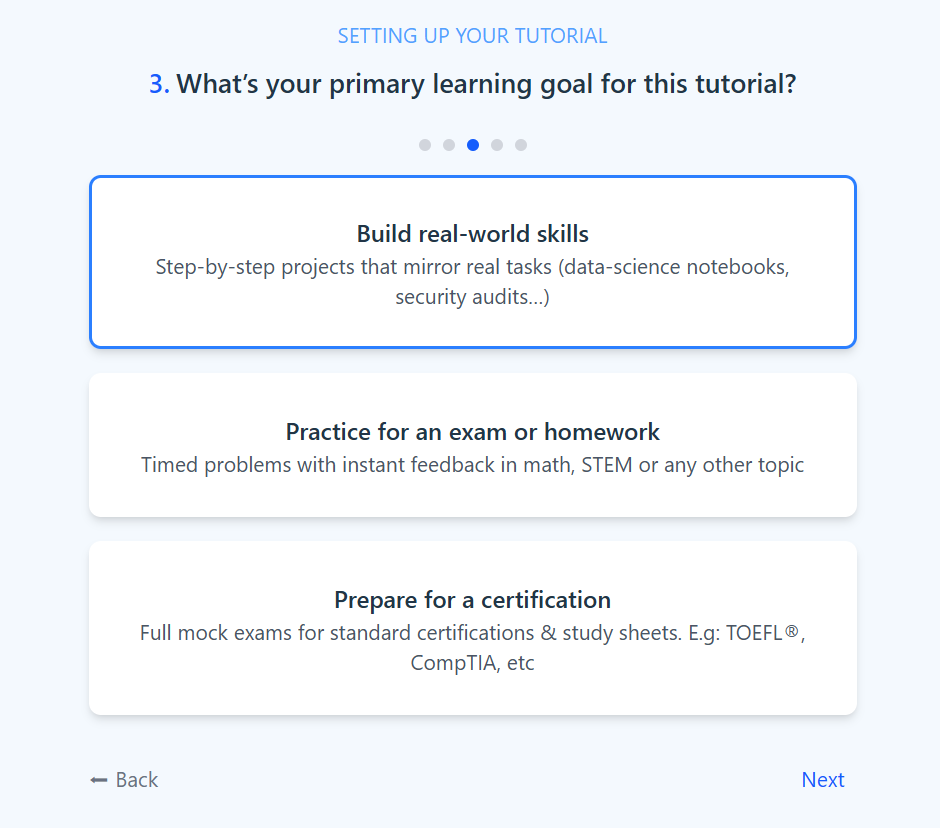
  <Step title="Set your primary learning goal">
    Clarify what success looks like for this tutorial:

    * <b>Build real-world skills:</b> project-style steps that mirror real tasks.
    * <b>Practice for an exam or homework:</b> timed checks and problem sets.
    * <b>Prepare for a certification:</b> mock exams and study sheets.

          <img src="https://mintcdn.com/learnpack/ixntde2m4F8GEexK/images/step5.png?fit=max&auto=format&n=ixntde2m4F8GEexK&q=85&s=a7c391eb4956b7d924bd02d4ce6977e2" alt="Primary learning goal" width="940" height="828" data-path="images/step5.png" />
  </Step>

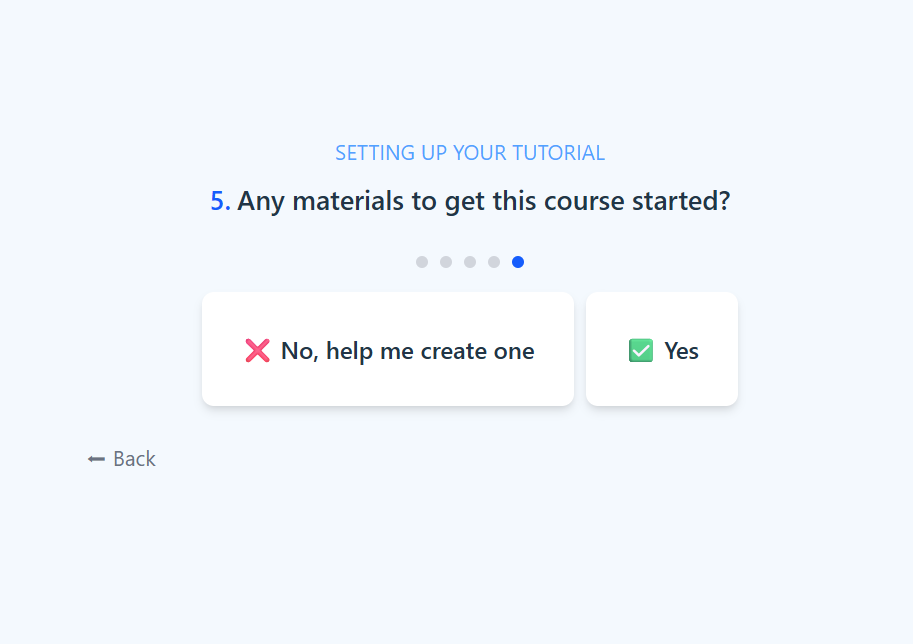
  <Step title="Provide materials or start from zero">
    If you have material, upload it so LearnPack can build from it. If not, pick <b>No, help me create one</b> and LearnPack will generate everything from zero.\
    <b>Good sources:</b> course outlines, PDFs, slide decks, internal docs, or videos.

    <img src="https://mintcdn.com/learnpack/ixntde2m4F8GEexK/images/step6.png?fit=max&auto=format&n=ixntde2m4F8GEexK&q=85&s=a54ef4bbe8c18c206344d27744ecbbc0" alt="Materials yes/no" width="913" height="644" data-path="images/step6.png" />
  </Step>

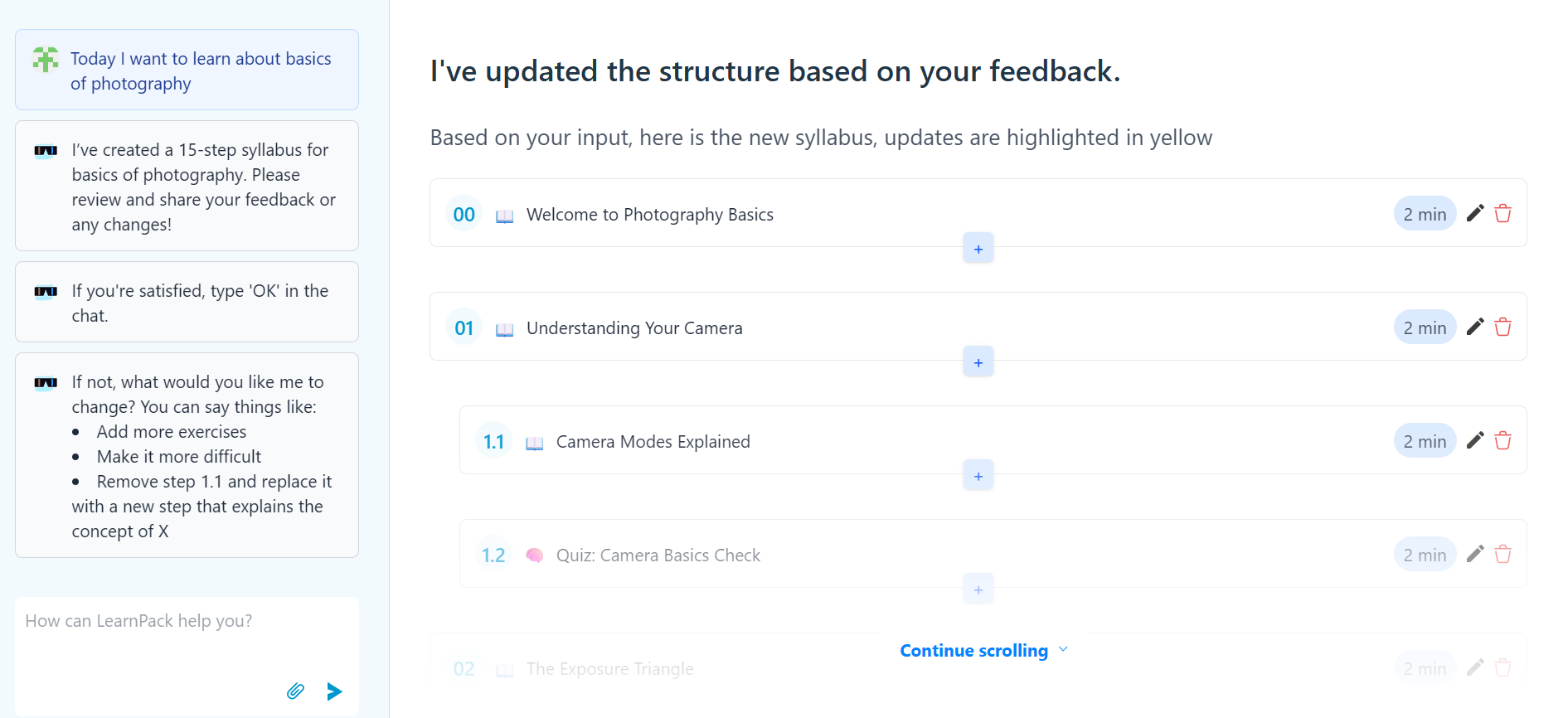
  <Step title="Review and refine the proposed structure">
    LearnPack drafts the syllabus with lessons, quizzes, and projects. Give feedback to tailor it.\
    <b>How to refine:</b> ask for more exercises, change difficulty, remove or add steps, or replace a subsection with a new topic.

    <img src="https://mintcdn.com/learnpack/ixntde2m4F8GEexK/images/step7.png?fit=max&auto=format&n=ixntde2m4F8GEexK&q=85&s=9d4ce88b9b013d9bfffe76f594533f74" alt="Generated syllabus" width="1891" height="866" data-path="images/step7.png" />
  </Step>

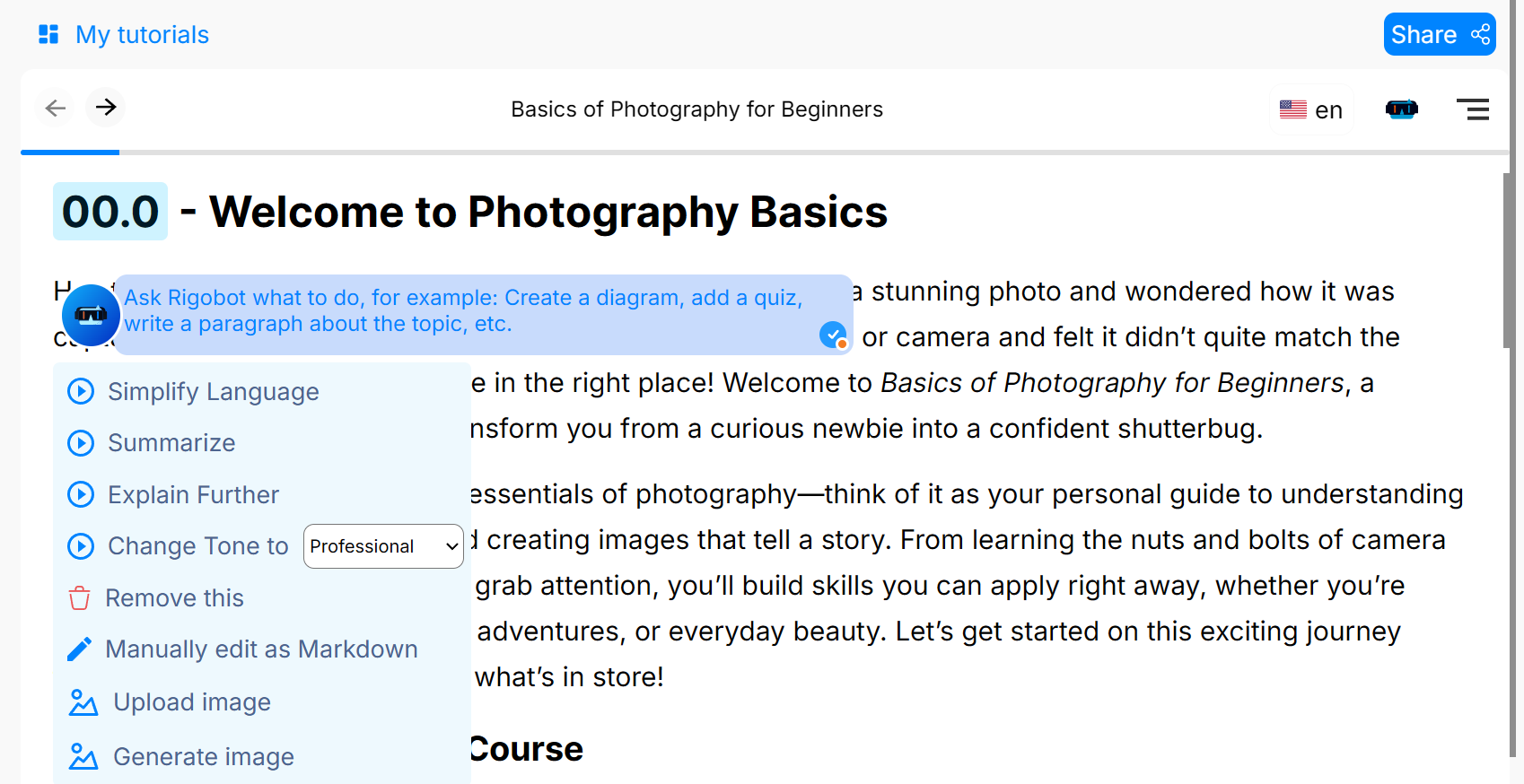
  <Step title="Edit lessons with AI assistance">
    After accepting the structure, your course is generated. You can edit any paragraph and ask <b>Rigobot</b> to simplify, summarize, explain further, change tone, insert quizzes, or add images.\
    <b>Power move:</b> use <b>Manually edit as Markdown</b> for precise control over wording and formatting.

    <img src="https://mintcdn.com/learnpack/ixntde2m4F8GEexK/images/step8.png?fit=max&auto=format&n=ixntde2m4F8GEexK&q=85&s=8359ac9627c3349ac735b0af8042758d" alt="Block-level AI editing" width="1698" height="874" data-path="images/step8.png" />
  </Step>

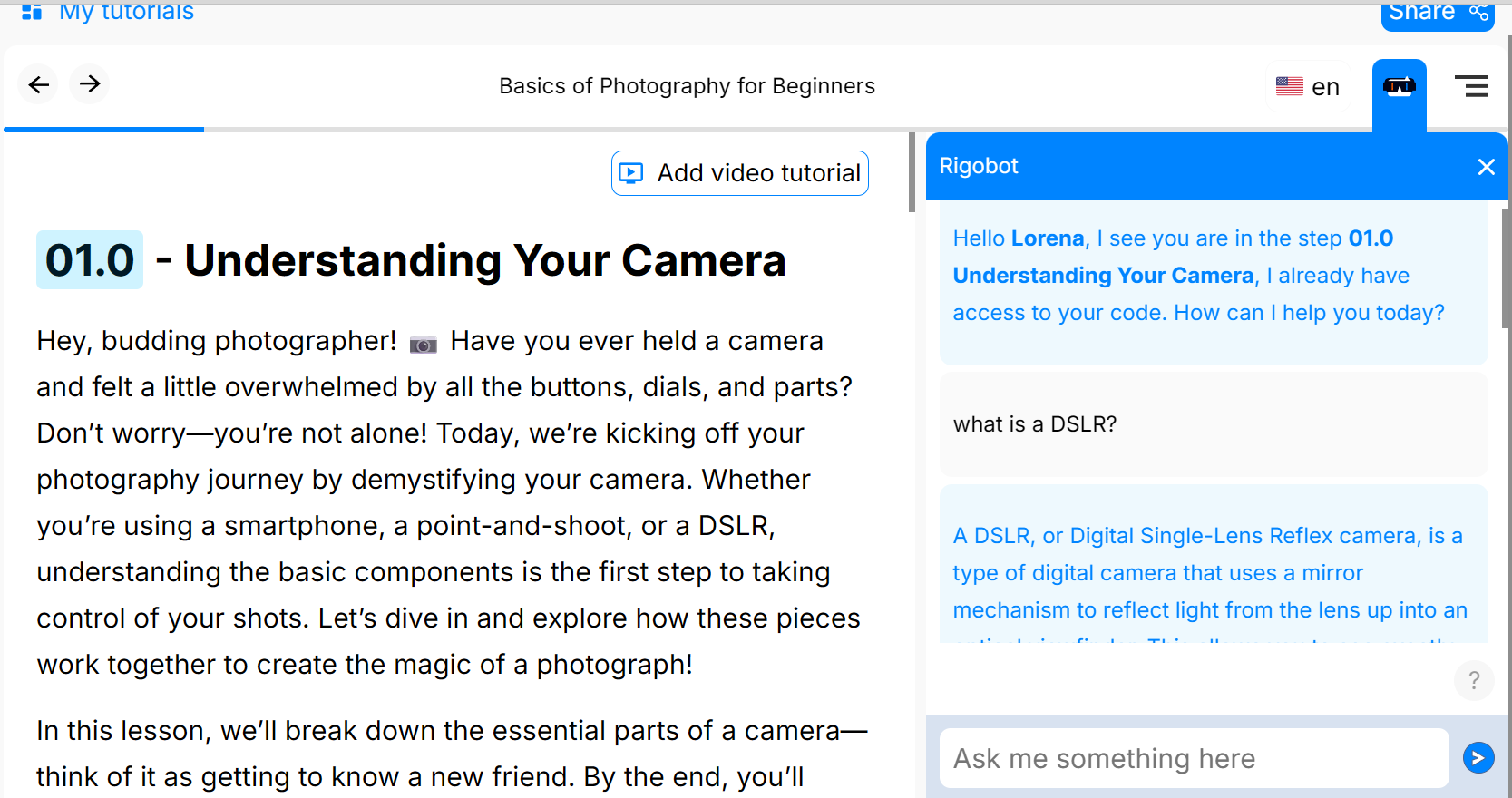
  <Step title="Get help from your AI mentor">
    <b>Rigobot</b> sits on the right panel at all times. Ask in plain language. No prompting expertise needed.\
    <b>Examples:</b> “I don't understand this”, “I'm stuck on this question”, “I don't remember this”.

    <img src="https://mintcdn.com/learnpack/ixntde2m4F8GEexK/images/step9.png?fit=max&auto=format&n=ixntde2m4F8GEexK&q=85&s=55c4bf3bc883f0bbe8a4424dcc3d086a" alt="Rigobot assistant panel" width="1667" height="880" data-path="images/step9.png" />
  </Step>
</Steps>

## Which starting point fits you? (quick rubric)

| Start from…           | When to choose it                                                     | Go to                                                                                               |
| --------------------- | --------------------------------------------------------------------- | --------------------------------------------------------------------------------------------------- |
| **Existing material** | You already have PDFs, slides, workshops, or a video with transcript. | [Create from existing material](/creating-courses/converting-a-pdf-into-an-interactive-course)      |
| **Scratch with AI**   | You have an idea, want AI to scaffold lessons, quizzes, and visuals.  | [Create from scratch (AI-assisted)](/creating-courses/adding-quizzes-projects-and-open-ended-tasks) |

<Callout type="success">
  <b>Pro tip:</b> start small, then iterate with AI: <i>add a quiz</i>, <i>simplify this section</i>, <i>translate to Spanish</i>, or <i>add recap images</i>.
</Callout>

## Next up ->

<Columns cols={2}>
  <div>
    <Card title="Create from existing material" href="/creating-courses/converting-a-pdf-into-an-interactive-course" icon="file-pdf">
      Start from PDFs, slides, or video transcripts.
    </Card>

    <Card title="Rigobot (AI tutor)" href="/rigobot/how-rigobot-works" icon="robot">
      See how the built-in tutor guides learners.
    </Card>
  </div>

  <div>
    <Card title="Create from scratch (AI-assisted)" href="/creating-courses/adding-quizzes-projects-and-open-ended-tasks" icon="sparkles">
      Use AI to scaffold lessons, quizzes, and visuals.
    </Card>

    <Card title="Publish a LearnPack package" href="/publishing-and-exports/how-to-publish-a-learnpack-package" icon="box-open">
      Share links, export SCORM, or embed.
    </Card>
  </div>
</Columns>

## See also

* [Importing PDFs, videos, and slides](/getting-started/importing-pdfs-videos-and-slides)
* [Publishing your first package](/getting-started/publishing-your-first-package)
* [Key Features & Benefits](/key-features-%26-benefits)